
Books that start and end on a single page
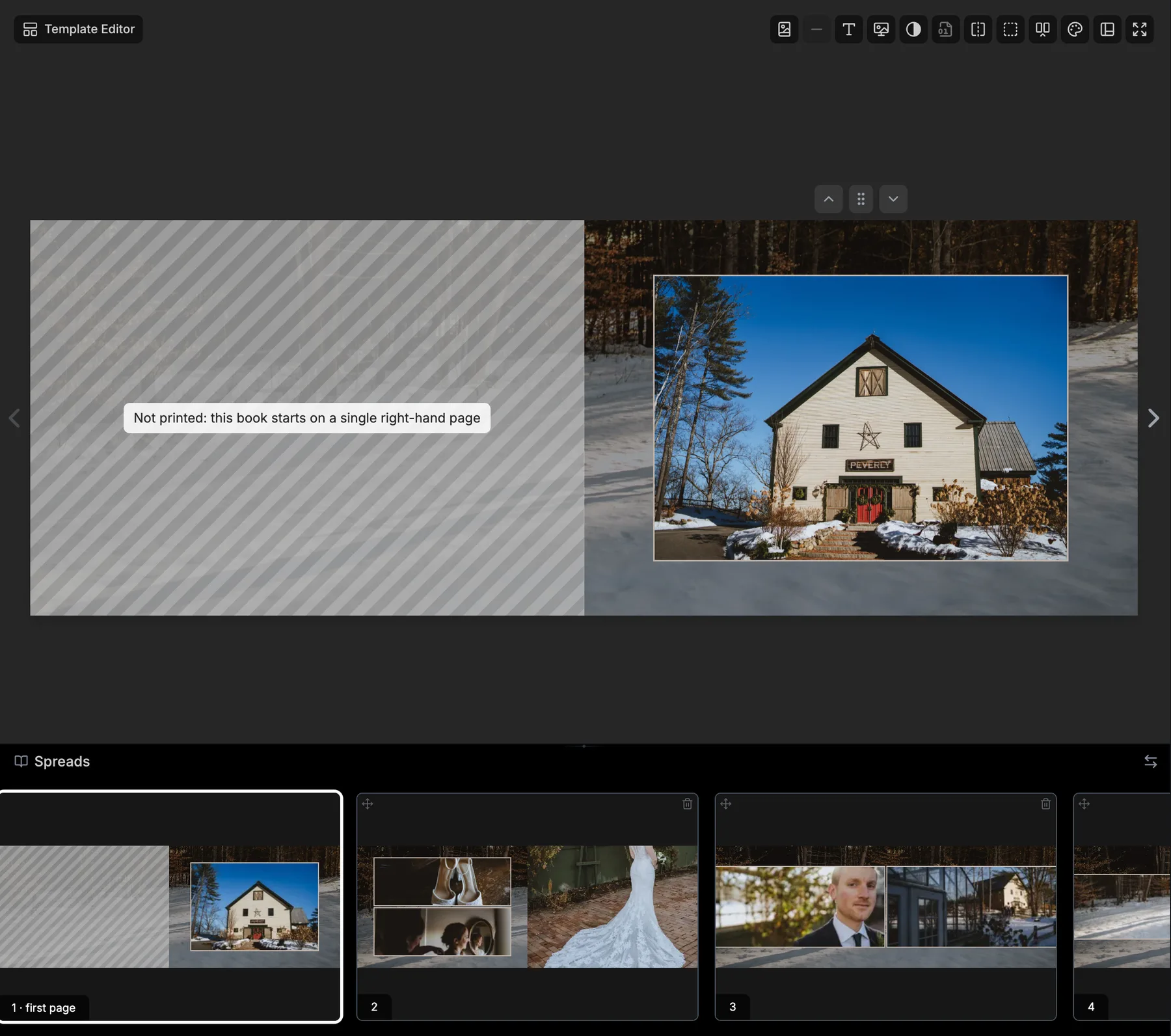
Some lab books start on a single right-hand page and end on a single left-hand page, and the lab wants those two delivered as single-page files. BookProofs sets this up for you: the first spread shows only its right page and the last only its left, the other half is striped and marked "Not printed", and Export writes the first and last files as single pages.
- This applies to Floricolor Coffee Table Book sizes, for example.
- The spread timeline labels them "first page" and "last page". They stay at the start and end of the book and cannot be deleted.
- In the Export dialog, "Set for" your lab lists the confirmed settings, and the summary gives the pixel size of the first and last page files.
- The first file name ends in -R and the last in -L.
- Both count toward the lab's spread count.
More in Print setup
See all 11Trim, bleed and safety margin explained47:37See the book as it will print49:01Show or hide the trim and margin lines45:55Edit trim and margin on a custom book50:36Inner bleed and inner safety at the gutterGuideInner Bleed Fill: wider page files for the bindingGuideDifferent trim on the sides and the top and bottom (Trim View Override)GuideCheck your print vendor specs51:09Rounded corners near the trim stay square1:26Keep trim and margin lines in the template editor50:50