

Desktop Album Design Software for
Working Photographers.Modernized.


Everything you need to design stunning albums
BookProofs is built for photographers who value their time as much as their craft.
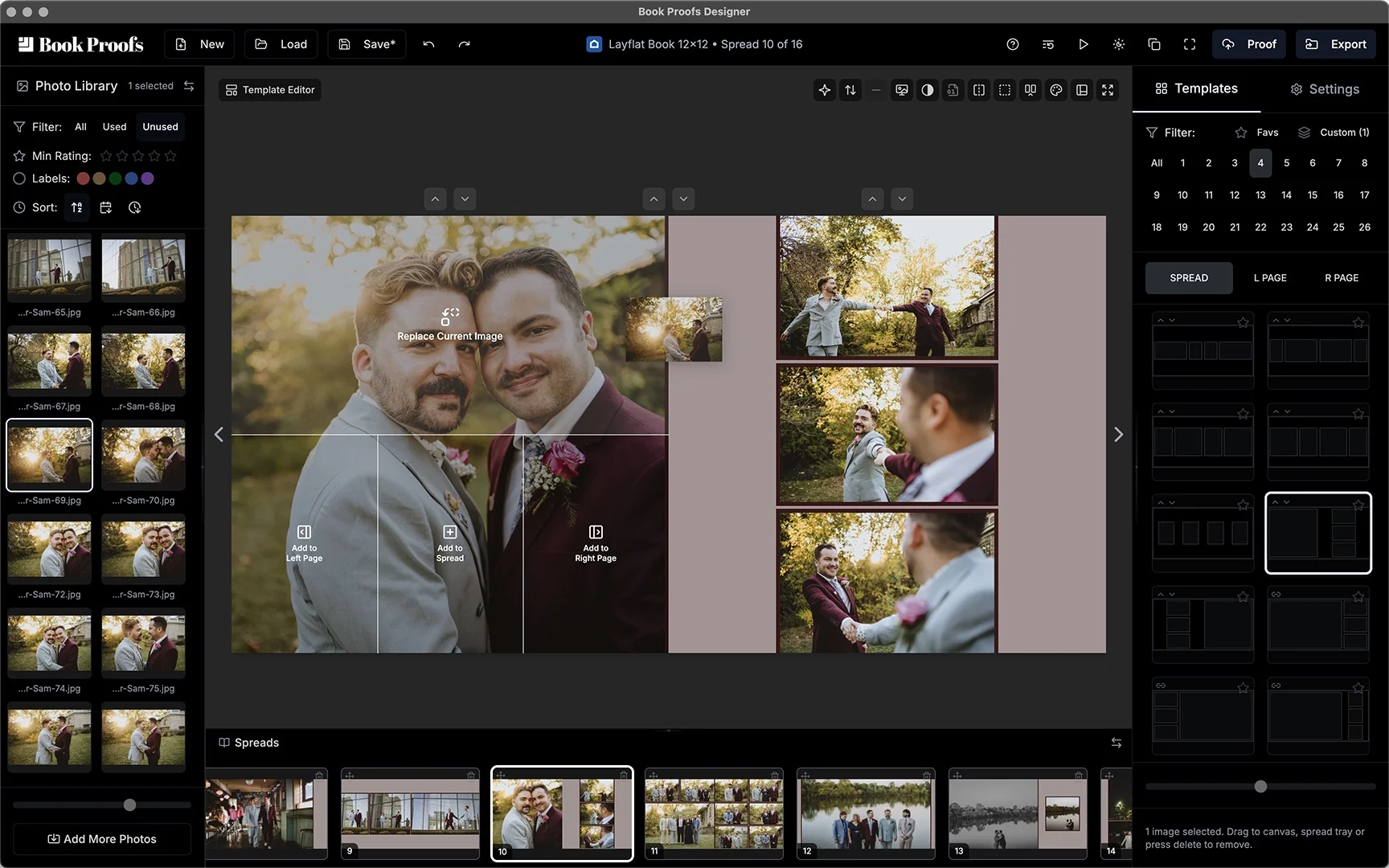
Drag & Drop Everything
Drop images onto placeholders, swap positions instantly, and move images to the current spread, current pages, timeline, or adjacent spreads with ease. Every interaction feels effortless.
- Drop areas with visual feedback for not just spreads, but pages too
- Drag spreads on the timeline to reorder
- Multi-image selection and batch moves
- Respects your drag, drop, and remove preferences
- Keyboard shortcuts for power users
2,450+ hand-crafted templates
Professionally designed layouts that auto-adapt to your images. Every template is carefully crafted for balance, white space, and visual flow.
- Layouts for every page size and aspect ratio
- Auto-switching based on image count
- Page and spread templates included
- Includes inversions and variations
Fine-tune every detail
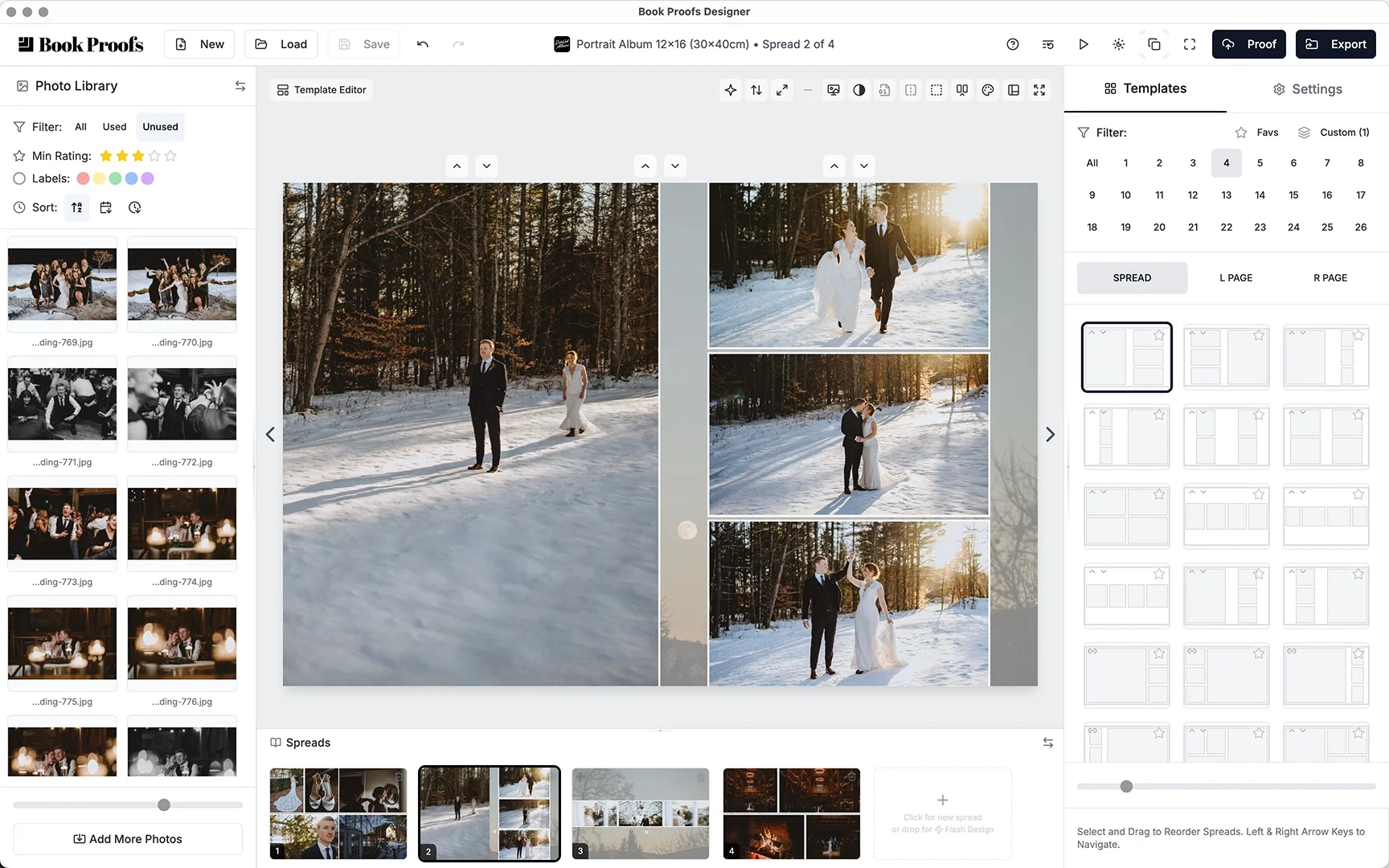
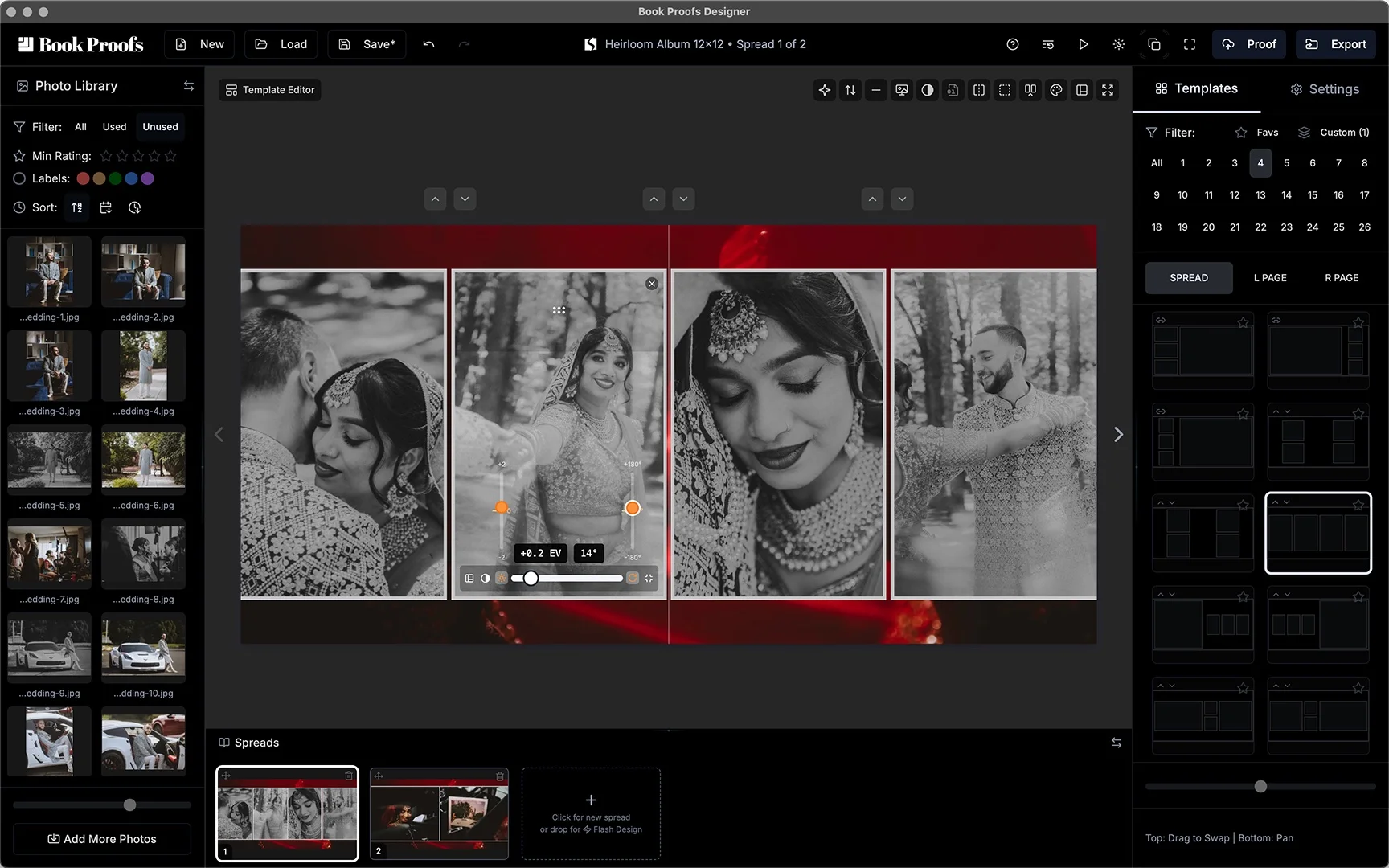
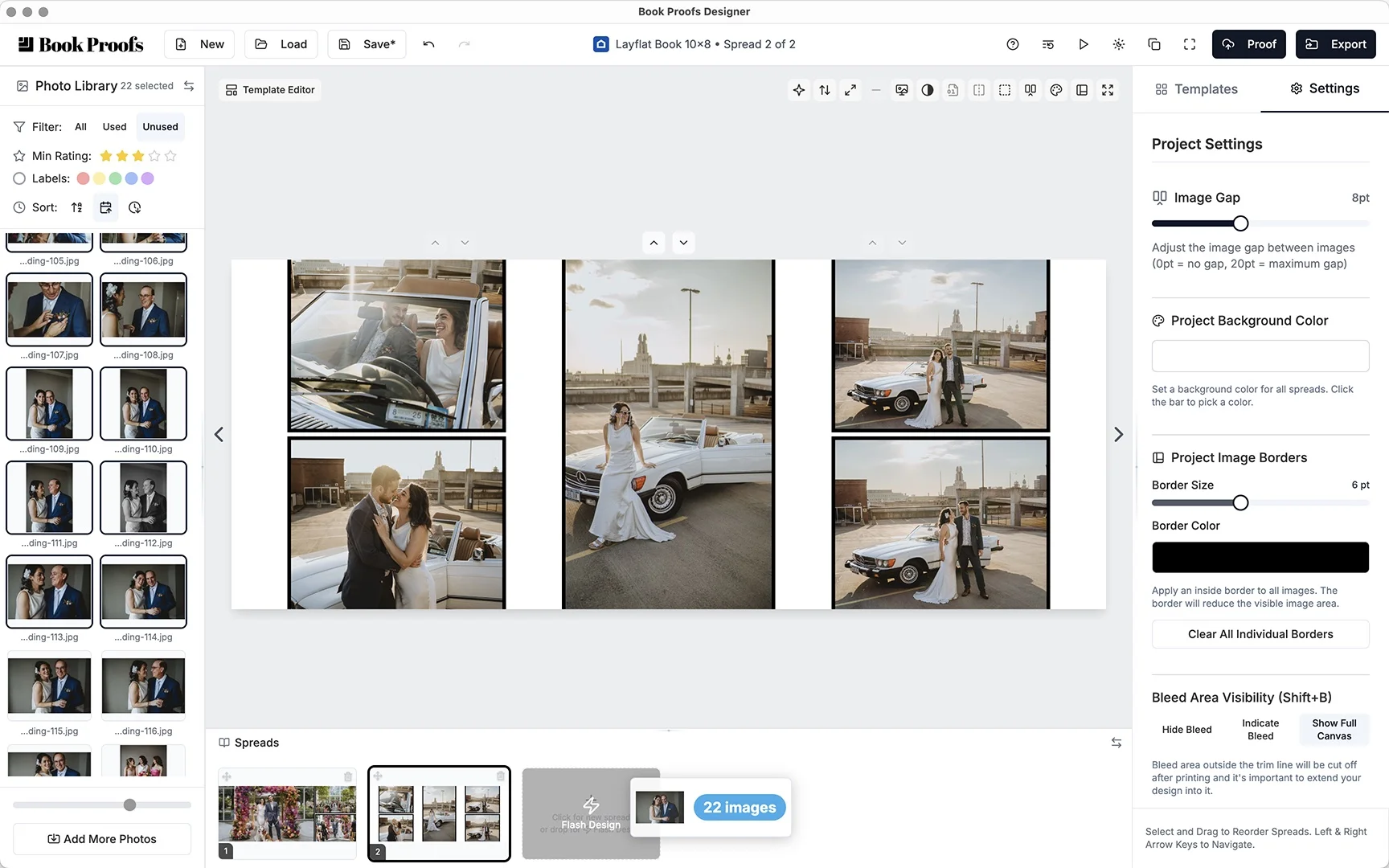
Adjust zooming, panning, rotation and borders directly on canvas. Your layout adapts to your vision.
- Direct on-canvas manipulation
- Zoom, pan, and rotate with precision
- Customizable borders for project or single placeholders
- One-click black & white conversion
- Edit in Photoshop or Lightroom, non-destructively, and changes sync back automatically
Build your own templates
Create custom templates with the visual editor. Save them to your library and reuse across any project.
- Visual drag-and-drop template builder
- Smart snapping to margins, gutters, and other placeholders
- Save to your custom template library
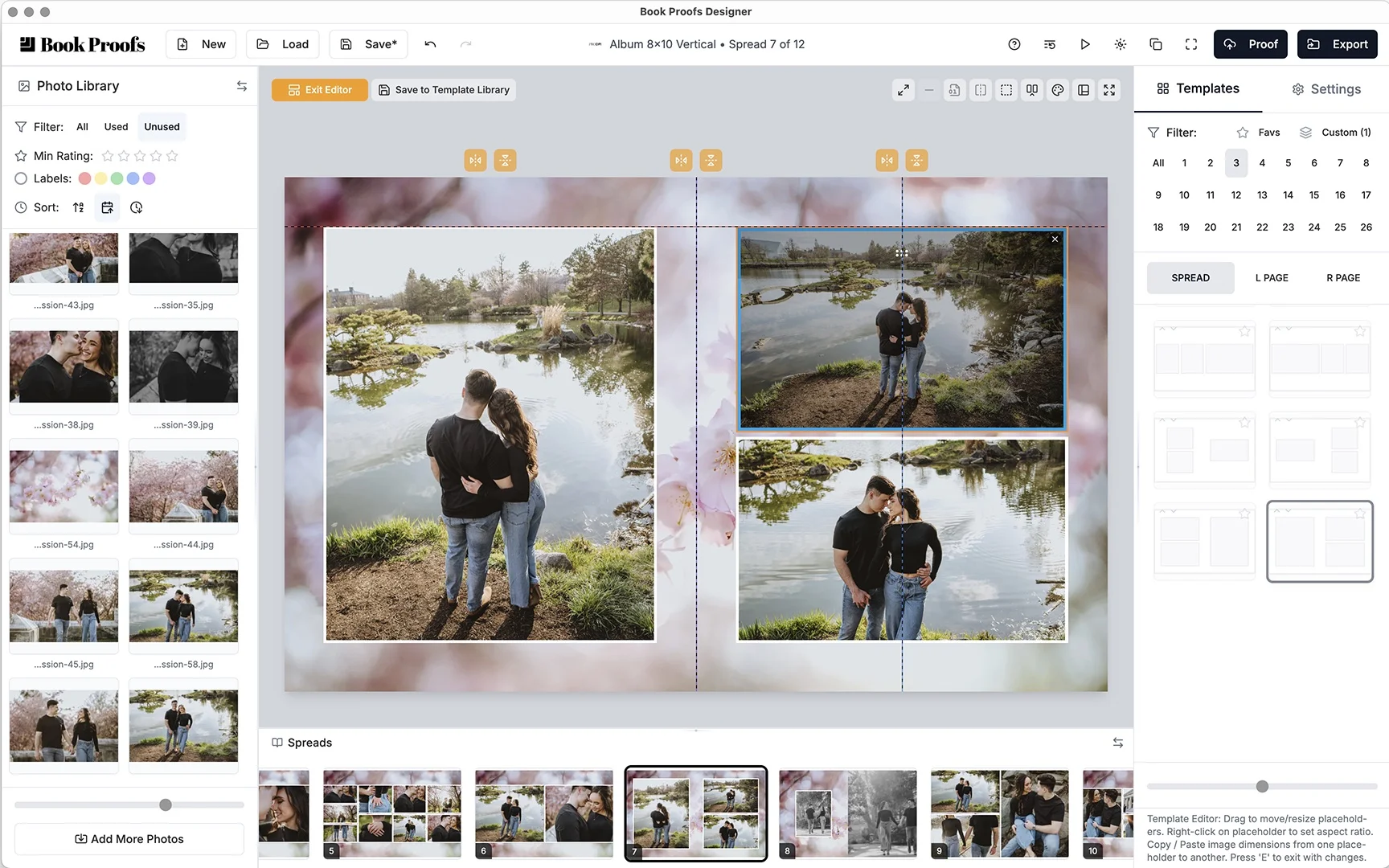
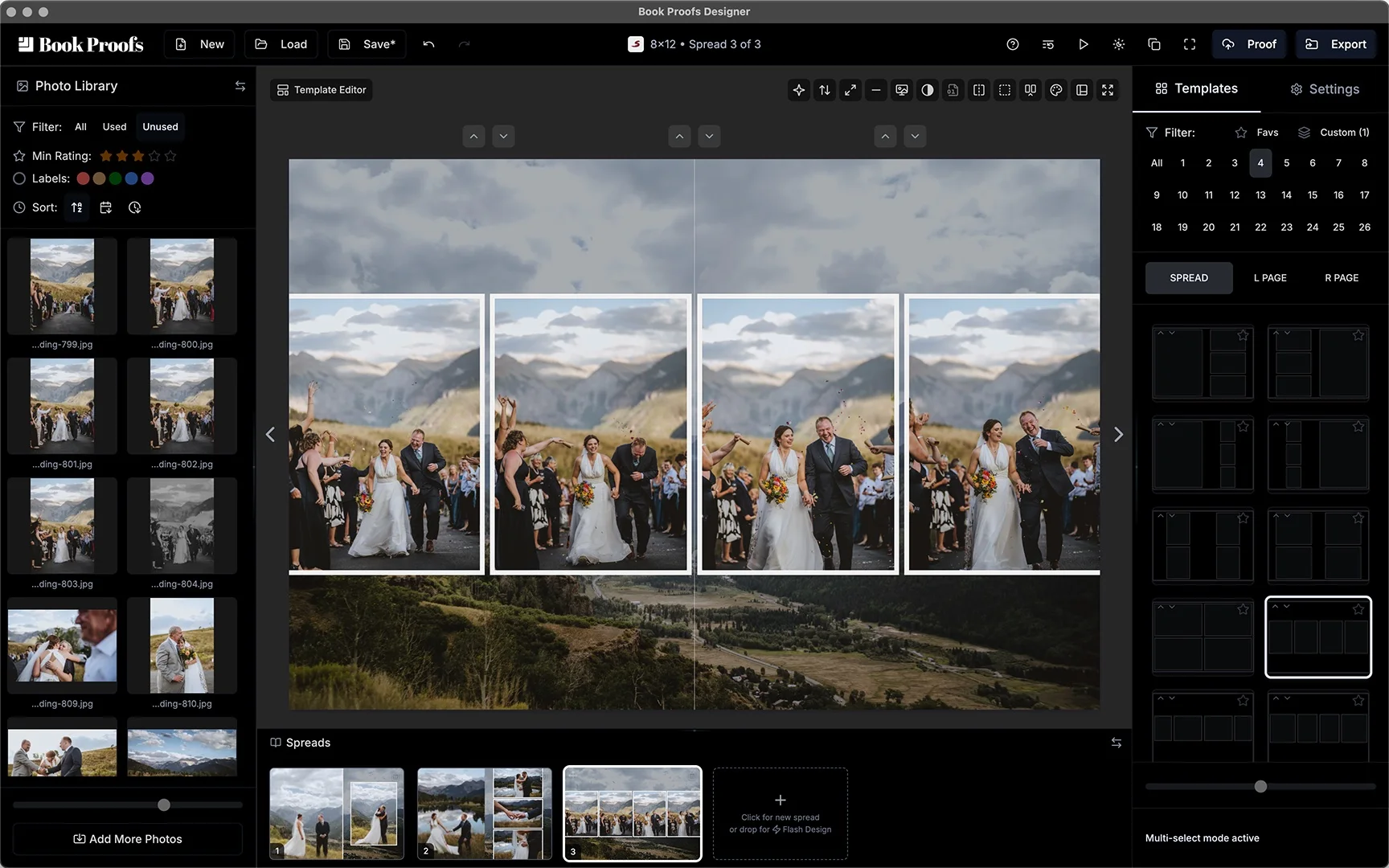
Set the scene
Apply custom background images per spread or project-wide. Control opacity, scale, and pan for artistic layering.
- Per-spread or project-wide backgrounds
- Adjust opacity for subtle layering with background color
- Scale and pan to fit your vision
Drop to Flashdesign your album
Drop multiple images to the spread timeline flashdesign drop area and let BookProofs do the design work for you. We analyze image aspect ratios and orientations to distribute them intelligently across spreads in seconds. What used to take hours now happens instantly.
- Automatic aspect ratio matching
- Instant multi-spread albums
- Fully customizable after generation
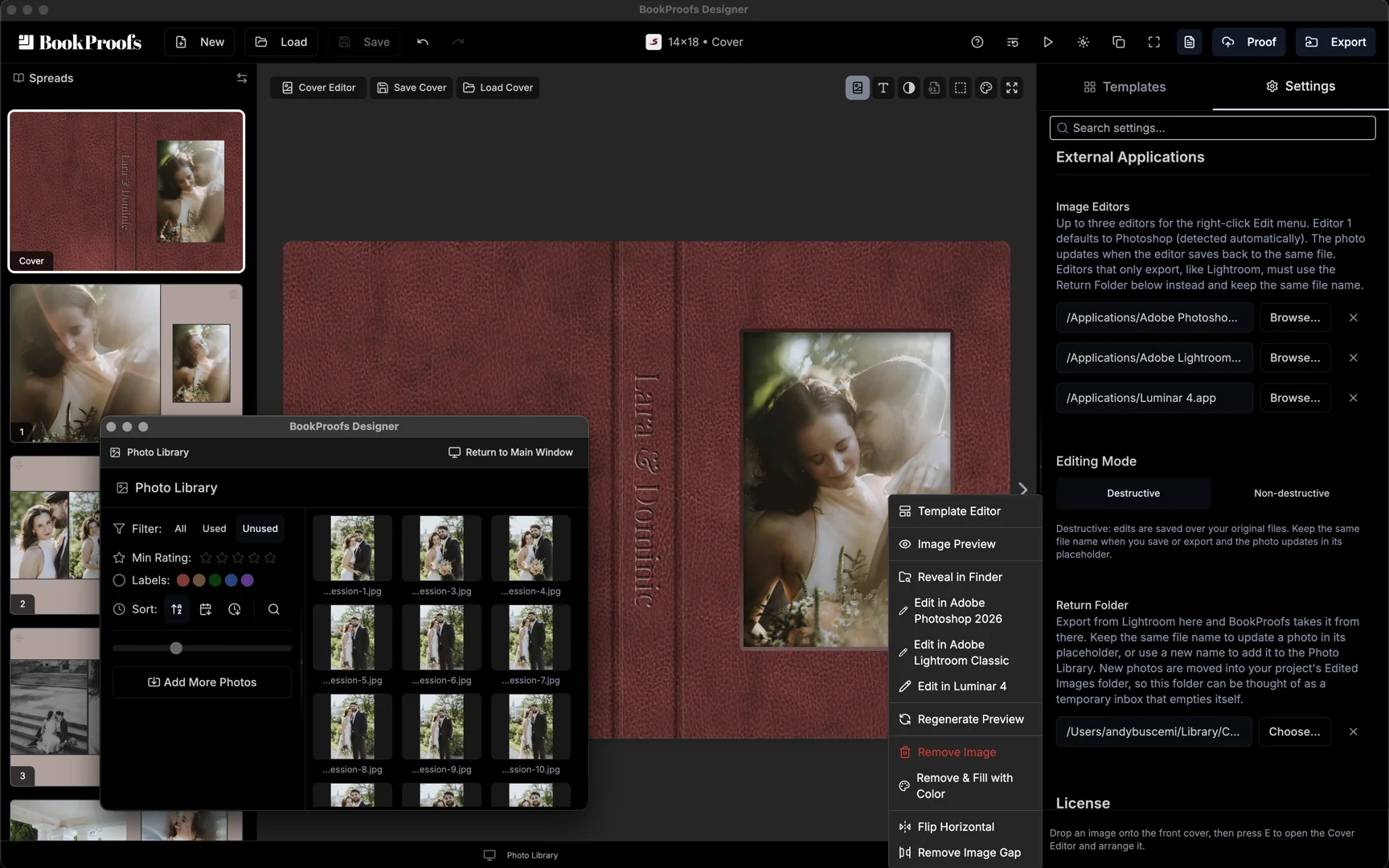
Round trip to Lightroom or Photoshop, non-destructively
Right-click a photo and send it to Photoshop, Lightroom Classic, or any editor you add. BookProofs hands the editor a copy, your original is never changed, and the edit returns back in its placeholder with crop and placement intact.
- Non-destructive by default, originals stay untouched
- Lightroom exports return through a watched Return Folder
- Up to three editors in the right-click menu
Quality Control
Live DPI monitoring, missing file detection, and pre-export reports ensure print-ready files.
Proofing
Export proofs with numbered overlays for client feedback - or send a full online proof with Client Proofing.
Pro Export
PDF or JPEG, spread or page, sRGB or Adobe RGB - with export set to vendor specs.
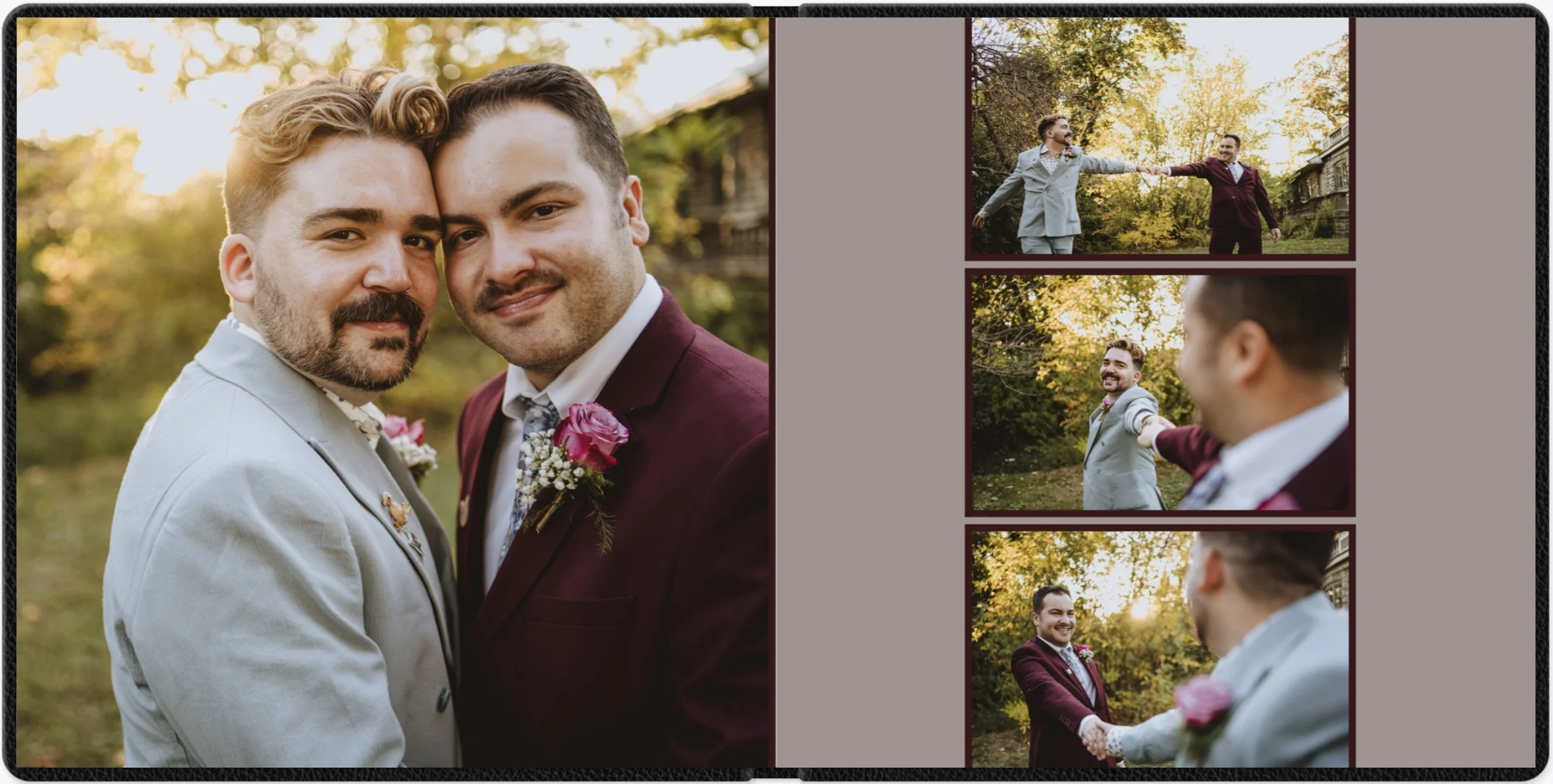








Hey there!
I'm Andy...
An active wedding and commercial photographer for 15 years, former co-host of Wedding Photographers Unite, and founder of BookProofs. Here’s the last piece of feedback we received just before launch...it captures why I built BookProofs Designer better than I ever could. Hit play for the story - and feel free to reach out to me directly on the contact page and I’ll personally get back to you shortly!
What photographers
are saying
Real Reviews from Real Photographers
"I love how versatile BookProofs is. It truly is like the Lightroom of album design. It's intuitive, seamless, and has so many customization options without being overwhelming."

"Bookproofs is an easy way for photographers to design albums without all the fuss! Easy to use and create albums quickly and efficiently!"

"BookProofs has made album building so simple and easy to navigate. All of my complaints on other album designers has been addressed and seems like every detail was very thought through to make our lives easier. I love how I can switch images seamlessly, change the layouts easily. Its amazing!"

"This is clearly an album design software for photographers BY photographers. It's super intuitive and easy to create albums quickly."
"BookProofs really opened my eyes to the creativity that is possible with album design! No more boring layouts that all look the same. I can finally create fully custom designs for my clients quickly and efficiently!"

"I'm blown away by how easy BookProofs is to use. It honestly makes album design fun again."

"I assumed a perfect album designer just didn't exist. I've tried several and not one had EVERYTHING thought out and implemented. Not only does BookProofs have EVERY feature I wished for, and ones I didn't know I needed, they're thoughtfully laid out/designed and beautifully put together for a really awesome experience. Using BookProofs has reinvigorated the promotion/excitement of doing albums for my wedding couples."

"BookProofs makes album design feel really intuitive and flexible. I love being able to swap templates on individual pages and quickly find layouts based on how many images I'm working with."
"BookProofs was extremely intuitive to use and made creating album designs very efficient. It offered endless options to customize and create a professional album for my clients while still saving time and energy."

"As a wedding photographer, efficiency and organization are huge when it comes to album design. BookProofs made the entire process incredibly smooth. I loved how customizable everything was while still keeping the workflow streamlined and organized. It made designing albums feel much less time-consuming, and the final results looked polished and professional. Overall, it's a great tool for photographers who want to design albums quickly while still maintaining full creative control!"

"I've used a lot of album design software over the years and honestly? BookProofs is the one that actually makes sense. You open it and it just...works. No learning curve, no digging through menus, no Googling how to do basic things. Someone clearly sat down and thought through every single detail before they built this and it shows. The whole design and proofing process is so much smoother than anything else I've tried. It feels like it was built by someone who actually shoots weddings and knows what photographers need, not just a dev team guessing from the outside. No subscription for BookProofs Designer. In an industry where every tool wants a piece of your monthly budget, that's a really big deal. If you're still using something else, just try BookProofs. I think you'll wonder why you waited."

"BookProofs Designer is giving us what we've been asking for without the subscription pricing."

"I loved having the flexibility of letting the software design my images, or letting me choose individual images to move wherever I wanted. Plus, the ability to design pages and not just spreads is awesome!"

"You can tell BookProofs was designed by actual Photographers. It goes the extra mile to look and feel like something photographers can use without the typical frustrations."
Yours to keep.
One Time Purchase, Lifetime Access. No Hidden Fees.
The real cost of album design software over 10 years
Looking for client proofing? It’s priced separately - see plans →
Download BookProofs
Get started in minutes. Full-featured app, no credit card or login required. Export unlocks with purchase.
Client Proofing
Bring your clients into the process.
Share proofs, gather feedback, and manage revisions.
BookProofs Designer is and always will be a one-time purchase - See Client Proofing details & pricing →
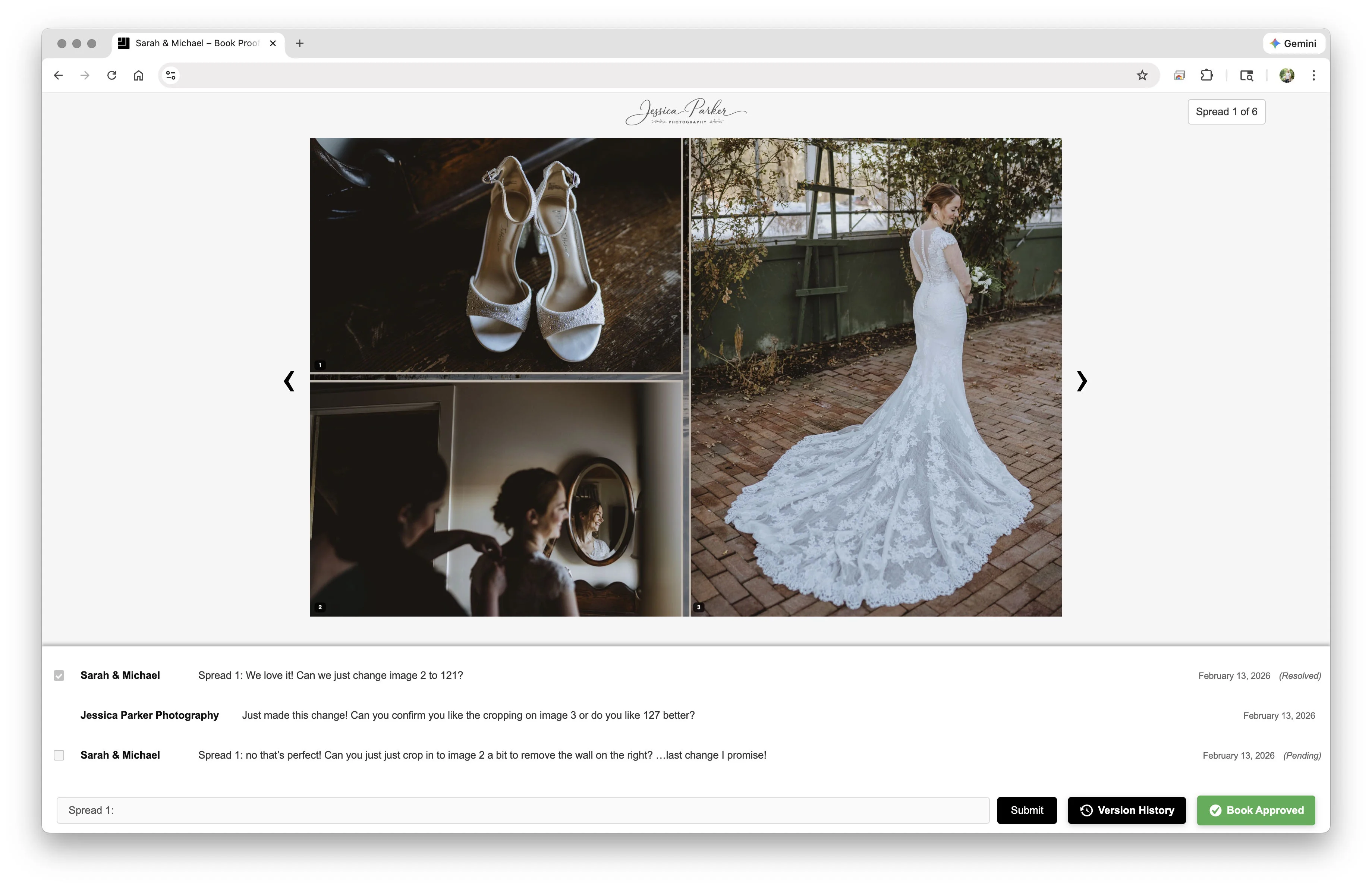
Your client reviews proofs online with a clean, simply branded proofing experience.
What's new
All the latest updates, improvements, and fixes to BookProofs.
- ImprovedEvery color picker now has Copy and Paste buttons, so you can copy a color from one place (text, borders, backgrounds, fills) and paste it into another. Copied colors also go to your system clipboard.
- ImprovedSelect vendors that require less than 300 DPI now export at the lab's specified DPI. Floricolor EU sizes are now exact to the millimeter.
- ImprovedColor pickers are easier to read in dark mode.
- ImprovedProofing: cover comps now match the size of the interior pages for better display on proofing, with rounded corners at the trim.
- NewIntroducing justified layouts: thousands of new layouts, each built around the exact shapes of the photos on your spread, so nothing is cropped to fit. They stay exact when you change the image gap or duplicate the project for a different size.
- NewA new Best fit setting (on by default) brings the best fitting layouts to the top of the Templates tray: justified generated layouts show in order alongside good old-fashioned human made templates that will crop your photos the least. "All templates" mode shows the full library and behaves as it always has. You can use keyboard shortcut L to toggle between best fit and full library for template use.
- NewBest fit also works on single pages. The L PAGE and R PAGE tabs show justified layouts and the best templates for that page, and dropping photos onto a page picks a layout for it the same way.
- ImprovedRemoving a photo now picks the best-fitting layout for the photos that remain, calling on justified layouts as needed.
- ImprovedFlash Design now switches to a justified layout for any spread where there are aspect ratio mismatches.
- ImprovedLayout swapping performance is dramatically improved to glide into place with fluid, GPU-accelerated animation.
- ImprovedOptimize Spread Layout has been removed, since Best fit's first suggestion now does that job. Resequence is now Order by Library in the canvas right-click menu, and the | shortcut still works.
- ImprovedThe app header now doubles as the window's title bar: drag the project name to move the window, and click its icon to switch between project and vendor name. This modernizes the look of the app while adding slightly more screen real estate at the same time.
- ImprovedBeta subject detection settings now only appear for users who have it turned on, ahead of its removal in a future version.
- FixedPanning a photo right after zooming no longer jumps into position.
- FixedSpread timeline thumbnails better show image gaps at their true size.
- NewAny spread can now have its own background color. Right-click a spread in the spread timeline and choose Background Color, or use the color swatch while editing a spread's background. Select several spreads to color them all at once. Choose "Use for all spreads" to make a color the project background color, or "Reset to project color" to go back.
- NewRotating a photo to straighten it now zooms in just enough to keep the frame filled, and zooms back out as you rotate back toward level, so the background never peeks through at the corners. On by default, but can be toggled off in Settings.
- ImprovedMoving or copying a project folder (to another drive, another computer, or with Save As) now keeps its thumbnails and previews. After relinking photos with Choose New Folder, any missing thumbnails and previews are rebuilt automatically.
- ImprovedNew Settings menu item opens the Settings tab and highlights it.
- ImprovedThe Contain/Cover toggle in Settings is now marked Advanced and asks for confirmation before turning on, since Contain leaves empty space in most frames.
- FixedIn specific no gutter gap layouts, single-page JPEG and PDF exports no longer show a thin strip of the opposite page's image along the inner edge.
- FixedRegenerate Preview now also refreshes the photo's thumbnail in the spread timeline.
- FixedAfter choosing a new folder for missing photos, the message now correctly reports how many are still missing.
- FixedThe Help menu now shows "Help & Support" correctly on Mac.
Want to be notified of new releases? Join our Discord
Common questions
No. BookProofs Designer is a one-time purchase - $249. There are no monthly or annual fees. You buy it once and it’s yours to keep, with updates included for the lifetime of the product - no paid v2, ever. Client Proofing is a separate product with its own pricing - the designer app itself is always a one-time purchase. See Client Proofing pricing →
No. We're committed to evolving BookProofs Designer as a single product - one v1 that keeps getting better. Your one-time purchase includes all future updates for the lifetime of the product. We will not release a paid major-version upgrade that requires you to repurchase. (Client Proofing is a separate product with its own pricing.)
Up to 3 of your own computers, Mac, Windows or a mix. If you replace a machine, you can remove the old one in Settings and activate the new one.
Yes. The free demo includes the full design toolset: unlimited projects, 2,450+ templates, FlashDesign, and the template editor. Only exporting is gated behind a purchase. No credit card or login required.
Fairly, we hope. We keep an honest, dated comparison: how each one is priced, where they're ahead of us, and where we're ahead of them. All three have free trials, so try them side by side before you decide. Read the comparison →
BookProofs Designer runs on macOS (11 Big Sur or later, Apple Silicon and Intel) and Windows (10 64-bit or later).
BookProofs Designer includes 65+ print vendor presets including Miller's Lab, WHCC, Bay Photo, ProDPI, Graphistudio, Asuka Book, Nations Photo Lab, and many more. Export files are print-ready with the correct dimensions for each vendor. If your lab isn't listed, request an integration at support@bookproofs.com.
Yes. BookProofs Designer offers a 30-day money-back guarantee. If you're not satisfied, contact support for a full refund.
Where do I get help using BookProofs Designer or Client Proofing?
The help section covers both - 174 topics, nearly every one linked to the exact moment in a video tutorial that shows it. You can also open it from the Help menu inside the app.
Search the help section →
Ready to create something
beautiful?
Start designing with BookProofs. Download free and start creating today.
Have questions first? Talk to Andy - he’ll personally walk you through it.