
Inner Bleed Fill: wider page files for the binding
Some labs want each page file wider than the page, to allow for what the binding takes at the gutter. In BookProofs this is an inner bleed that is Added to the file, and Inner Bleed Fill is what adds it.
When you export single pages, each spread is split into a left and a right page, and each page is widened on the gutter side by the inner bleed. A photo that crosses the gutter carries on into that strip, so each page file holds a little of the photo from the facing page. The binding takes the strip instead of your design, and the photo still meets in the middle. Where nothing crosses the gutter, the strip is just the background color.
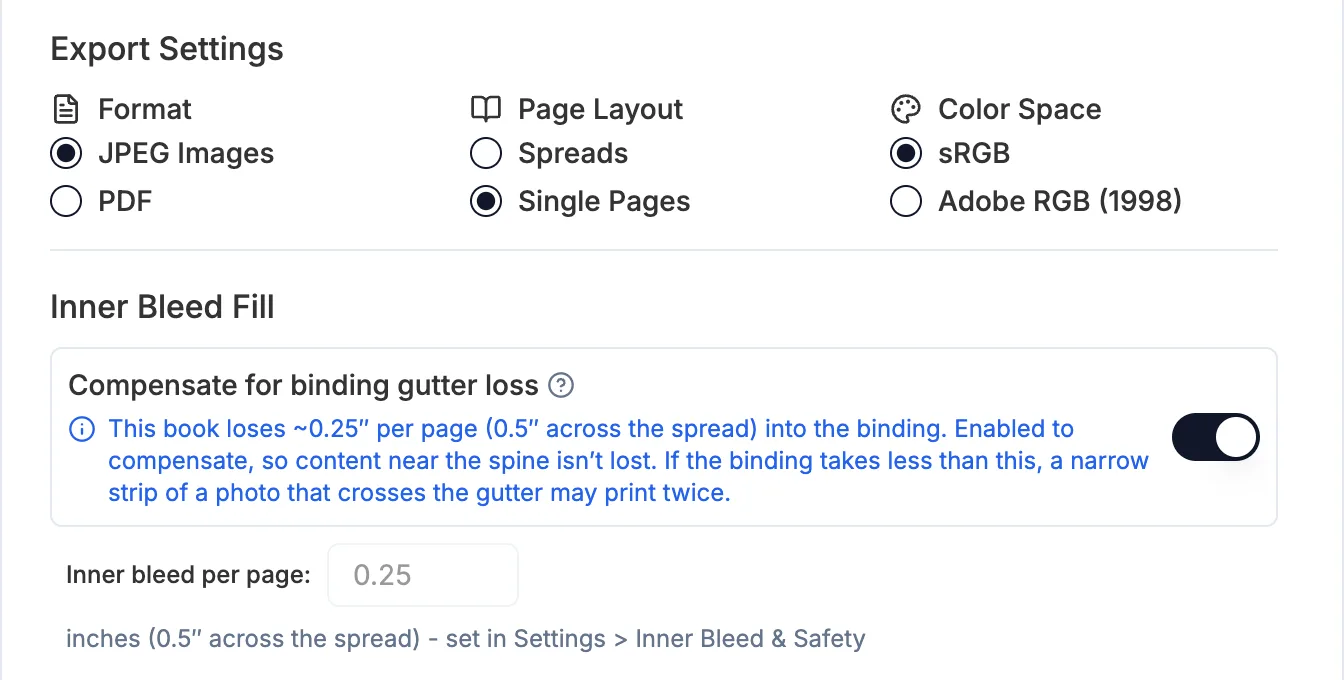
- In Export, you'll find it under Inner Bleed Fill, as Compensate for binding gutter loss. It works on JPEG and PDF Single Pages only; spread exports and the cover are not widened.
- Books whose inner bleed is Taken from the page don't use it: their pages export at the normal size.
- Use the exact amount your lab gives you. If the binding takes less than the fill, a thin strip of a photo that crosses the gutter can print twice.


More in Print setup
See all 10Trim, bleed and safety margin explained47:37See the book as it will print49:01Show or hide the trim and margin lines45:55Edit trim and margin on a custom book50:36Inner bleed and inner safety at the gutterGuideDifferent trim on the sides and the top and bottom (Trim View Override)GuideCheck your print vendor specs51:09Rounded corners near the trim stay square1:26Keep trim and margin lines in the template editor50:50