
A custom template won't save
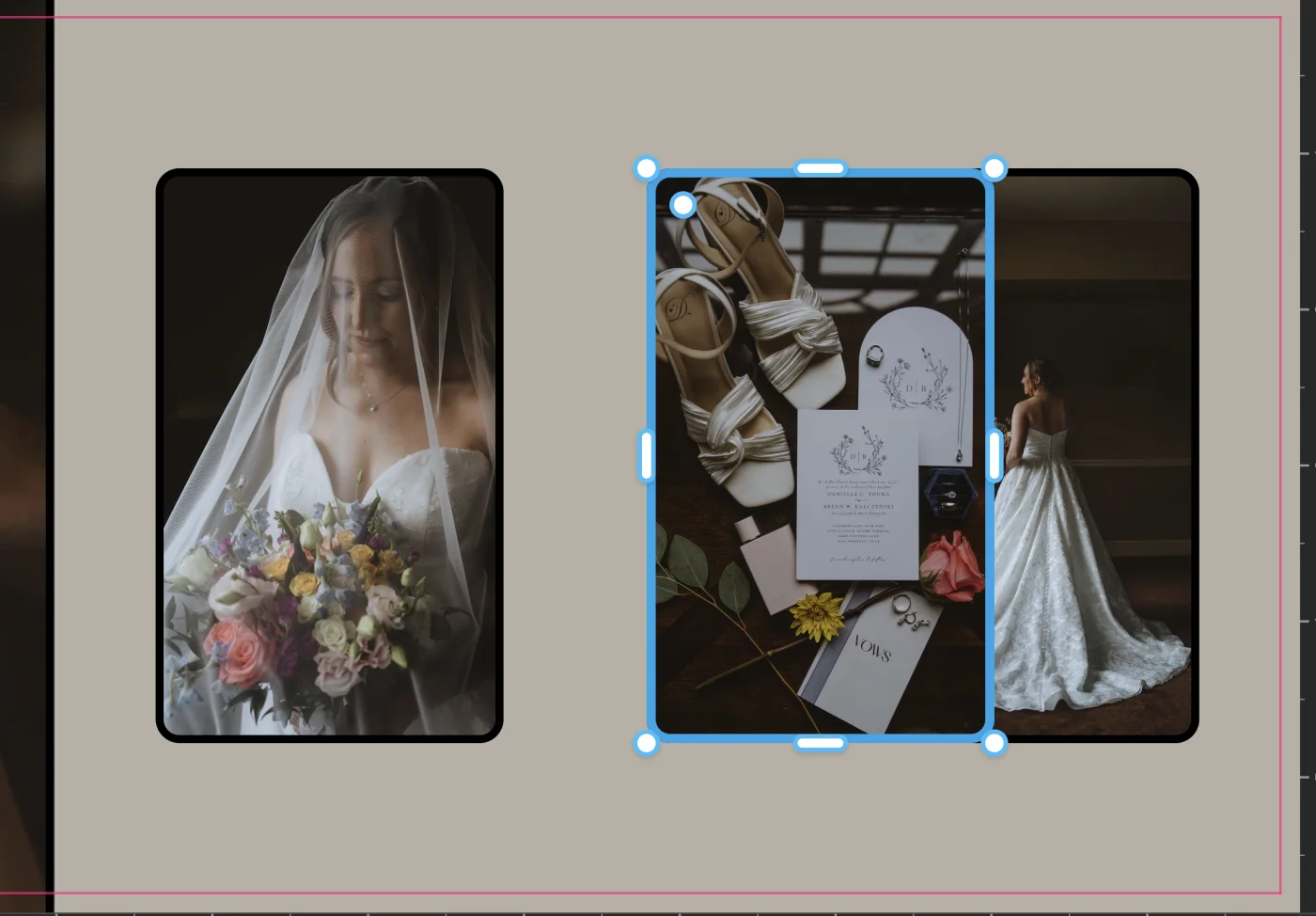
A custom template won't save if its frames overlap, if a frame crosses the middle of the spread (page templates only), or if the layout hasn't been changed.
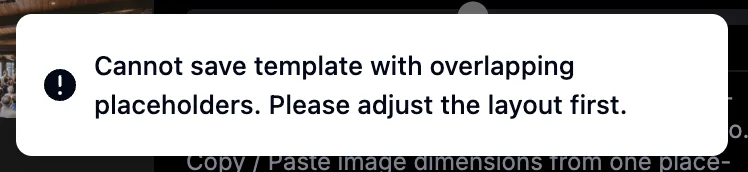
- Frames overlap: you'll see "Cannot save template with overlapping placeholders" for a few seconds. Move or resize the frames so none overlap - edges can touch - and save again.
- A frame crosses the middle of the spread: you can still save the whole spread, but not just the left or right page, so those two options are greyed out.
- Nothing has changed: a built-in template can't be saved as it is. Change the layout in the Template Editor first.
More in Templates & template editor
See all 23Change the template on a spread or page26:52What are justified layouts?GuideBest fit vs Full library in the Templates panelGuideBest fit on a single page (L PAGE and R PAGE)GuideWhy Remove Image Gap is greyed out on justified layoutsGuidePreview a template before applying it27:42Favorite the templates you use most28:06Filter the templates panel28:20Use a template with more or fewer photos28:26Warning when a template has fewer slots29:09Open and close the template editor (E)33:04Copy and paste a placeholder in the template editor34:00Snapping guides in the template editor34:07Turn a snapping type off35:03Resize an image placeholder in the template editor36:09Resize two neighboring photos at once (shared edge handle)GuideSet an exact aspect ratio on an image placeholder in the template editor36:51Save a custom templateGuideCustom templates in other projectsGuideI can't find a custom template I savedGuideGet back to the built-in templatesGuideHide the on-canvas template arrows59:29