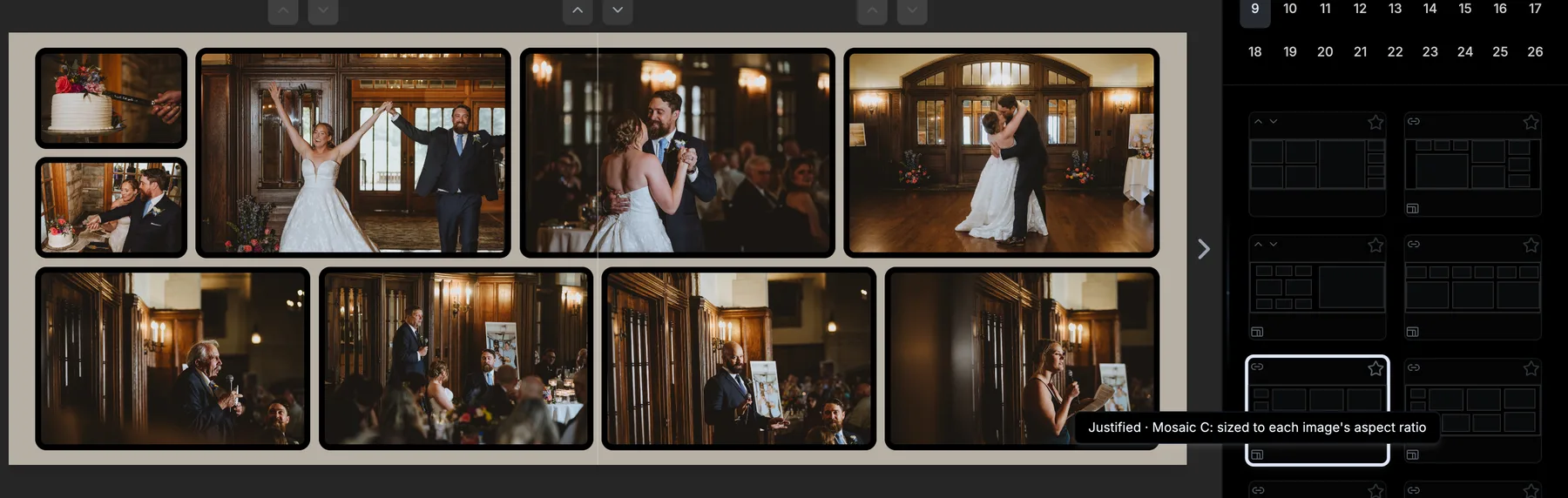
What are justified layouts?
New in 1.4.0, justified layouts are not templates. A template is a fixed set of boxes drawn in advance, and your photos get cropped to whatever shapes it has. A justified layout is calculated on the spot for the exact photos on your spread: BookProofs reads each photo's aspect ratio, then solves the rows, columns and page splits so every photo keeps its full frame and every gap lands at your project's image gap. Across 25 styles - Rows, Columns, By page, Mosaic, Feature image, Wide image across the top, Gallery inset and more - and every mix of portraits, landscapes and squares, that adds up to tens of thousands of possible layouts, each one shaped to the spread in front of you. Nothing is cropped to fit, and the layout stays exact when you change the image gap or duplicate the project to a different size. Justified layouts show up in the Templates panel alongside the built-in templates, marked with a small badge - hover it to see the style's name.