
Windows Installation
Installing BookProofs
Your download should start automatically...
If it doesn't, click here to download manually
1
Open the downloaded file
Find BookProofs-1.4.1.exe in your Downloads folder and double-click to run the installer.
2
Allow the installer to run
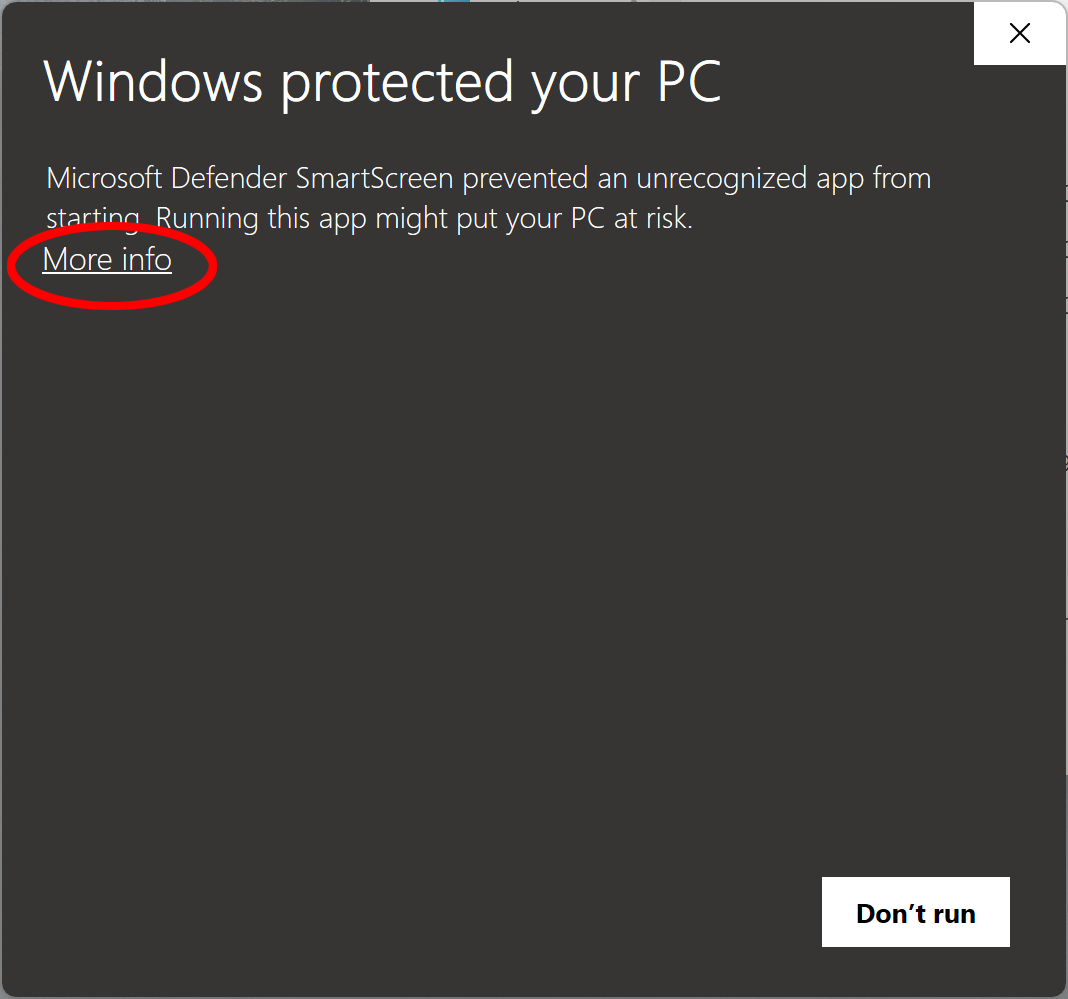
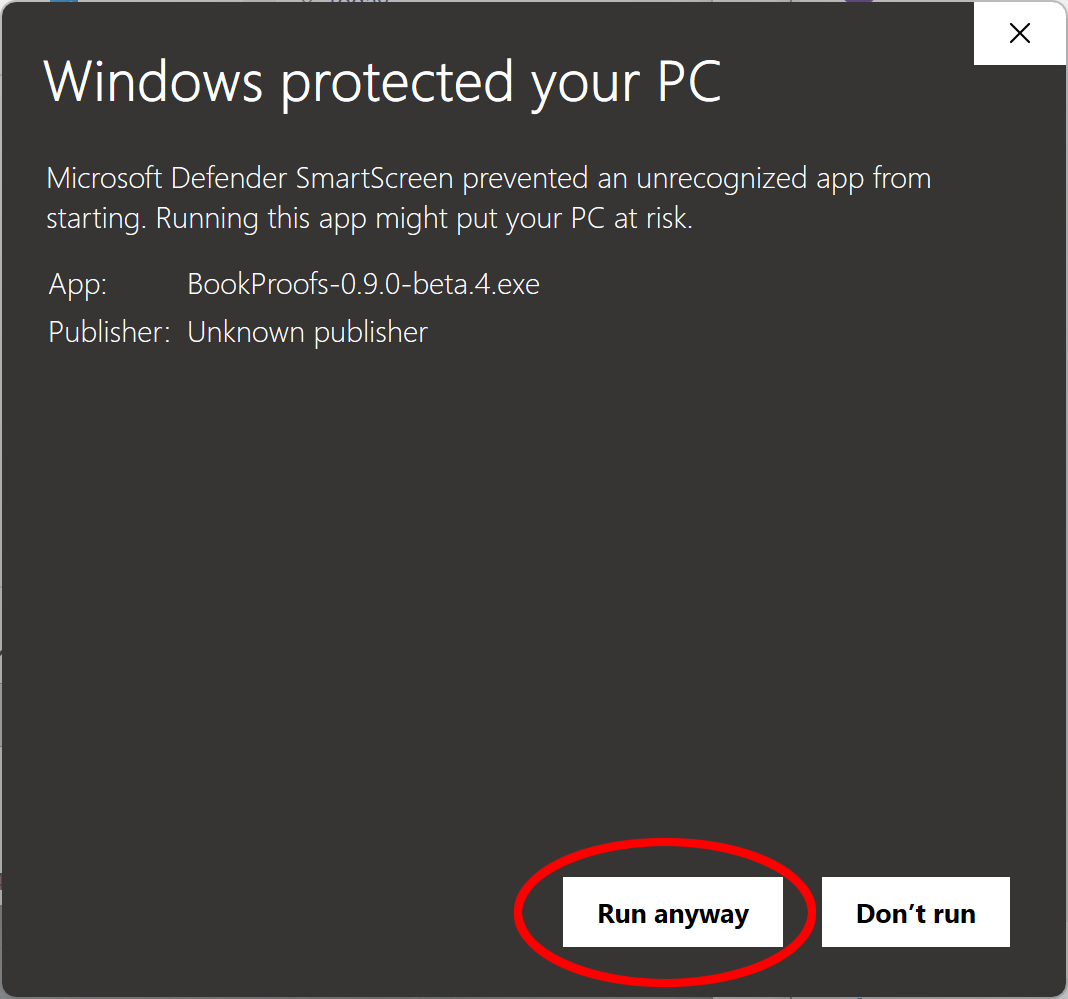
Windows SmartScreen may show a warning. This is normal for new software that Windows hasn't seen many times yet.
If you see "Windows protected your PC":
- Click "More info"
- Click "Run anyway"
3
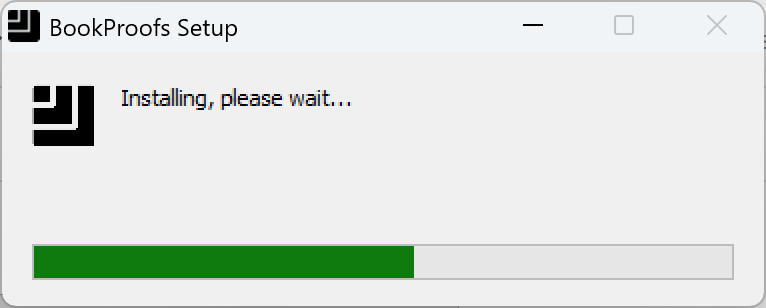
Installation runs automatically
The installer will run automatically and BookProofs will open once complete. This usually takes under a minute.
4
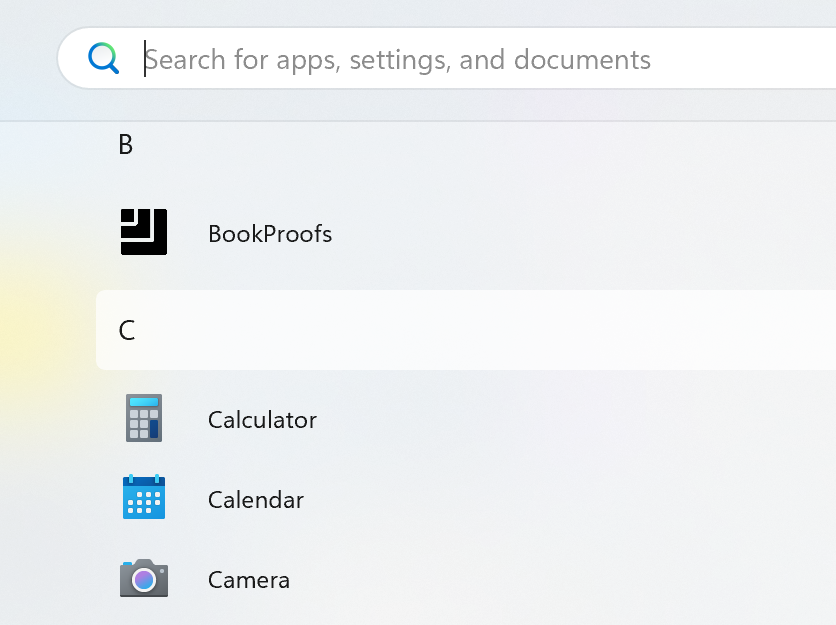
Launch and get started
Open BookProofs from your Start menu or desktop shortcut.
5
Activate your license (optional)
If you've purchased a license, go to Help → Activate License and enter the email and password from your purchase confirmation email. This unlocks full-resolution export.
No license yet?
No problem! Design freely in demo mode. You can purchase anytime here to unlock export.