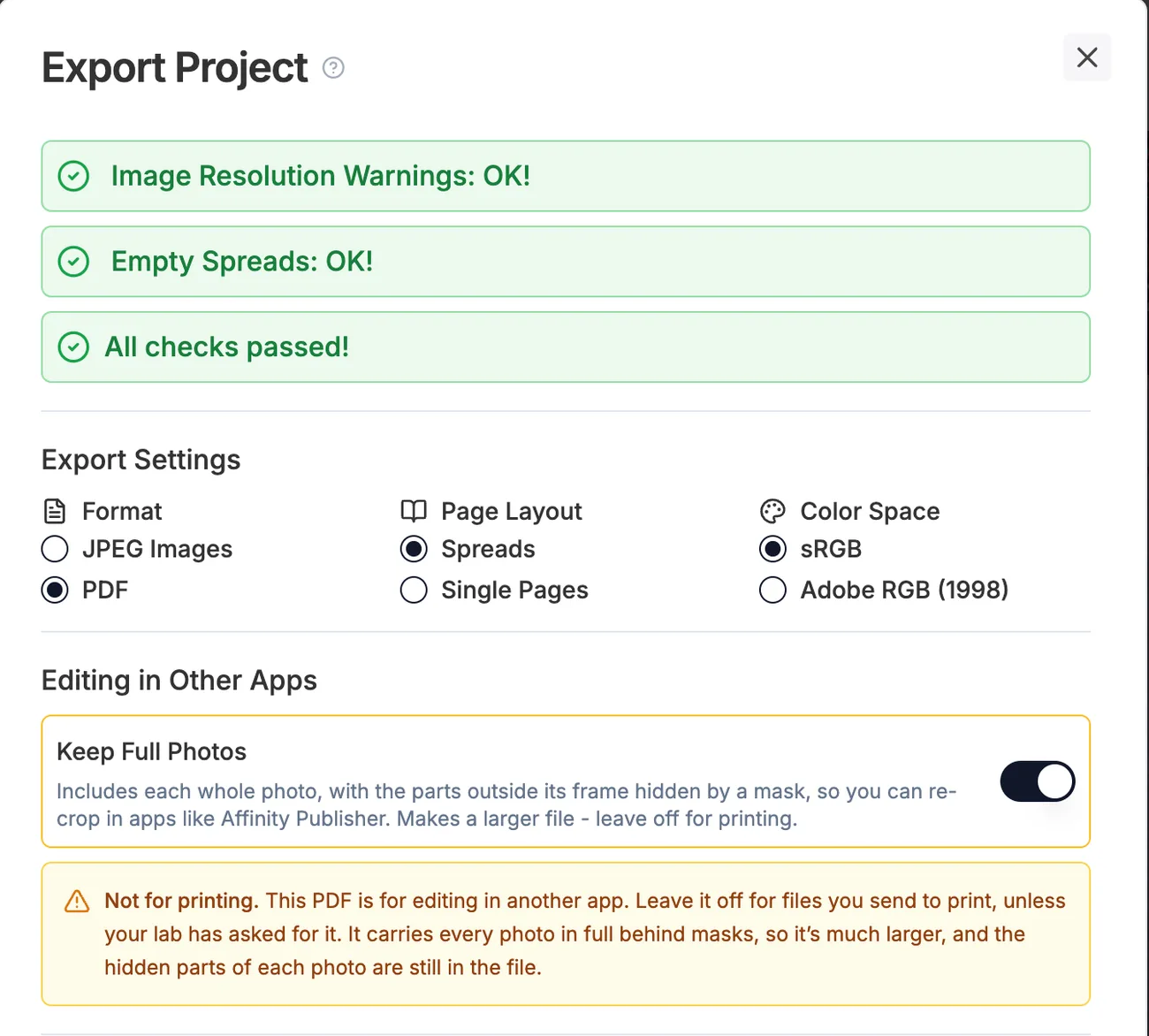
Keep Full Photos: a PDF for re-editing in apps like Affinity Publisher
Choose PDF and Spreads in the Export dialog, then turn on Keep Full Photos under Editing in Other Apps. Each photo goes into the PDF whole, with the parts outside its frame hidden by a mask, so you can re-crop and adjust your work in apps like Affinity Publisher. This PDF is for continued editing, not for printing: it's much larger, and the hidden parts of every photo are still in the file.