
Client Preview settings
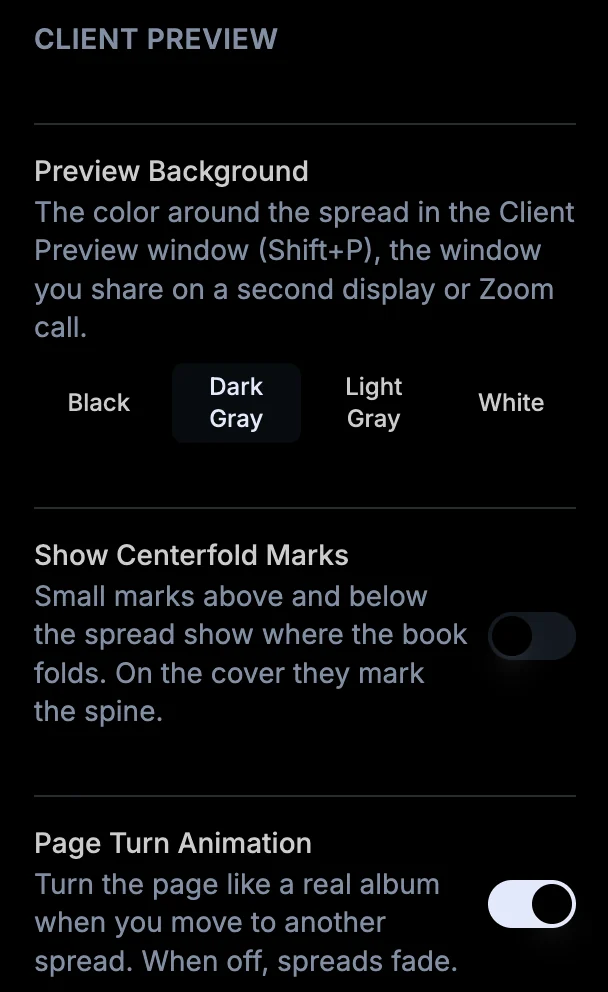
Settings > Client Preview sets the background around the spread (Black, Dark Gray, Light Gray or White), turns centerfold marks on or off - small ticks above and below the spread that show where the book folds - and switches the page turn animation for a simple fade.
More in Interface & panels
See all 17Resize the panels10:42Close panels for a bigger canvas11:07Move the photo library to the bottom11:38Full screen photo library1:02Photo library on a second monitor0:07Client Preview on a second display2:19Show your client the album on a Zoom call2:36Hold the Client Preview while you make changes2:46Remove photos from a spread in full screen photo library2:04Reset panels to their default positions10:05Switch between light and dark mode10:11Focus mode: hide every panel at once46:58View the book as a slideshow41:36Show proofing numbers on canvas45:02Toggle header view from vendor book to project name59:15Move the window: the header is the title barGuide